Guest experience
Booking That Takes
A Few Clicks
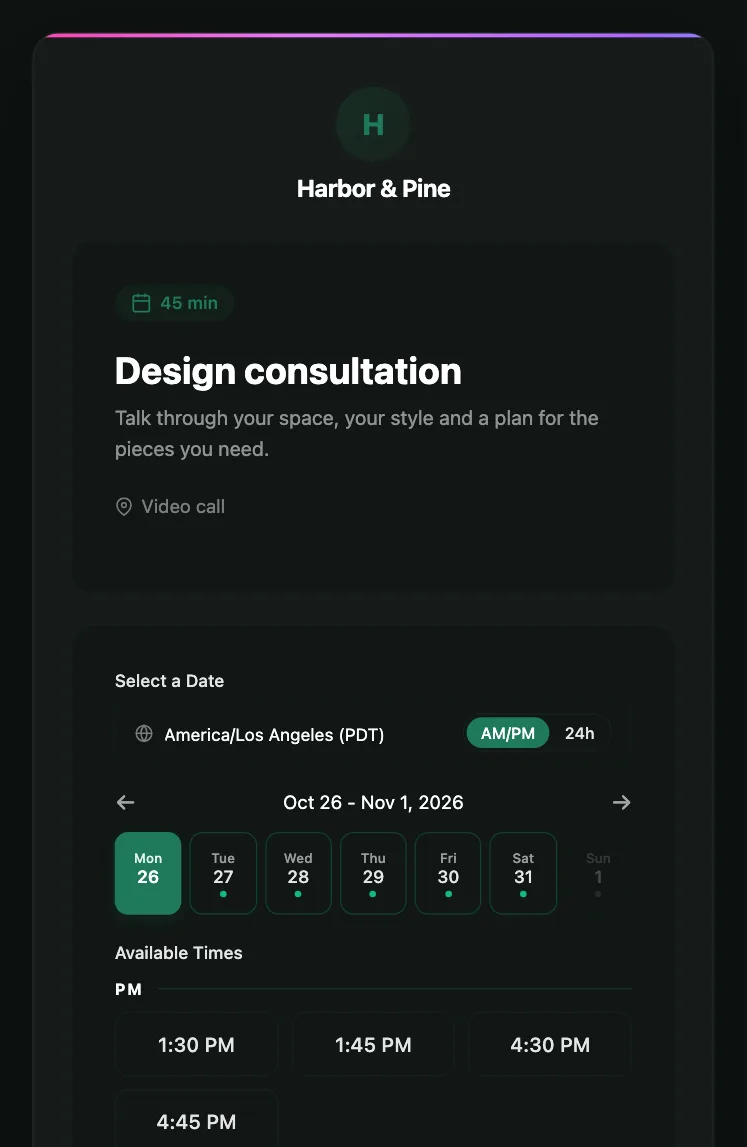
Guests open your link, pick a time that shows in their own timezone, and book. Everything they need arrives in one email.
Booking
Pick A Day
Pick A Time
- Your link shows each booking page you have turned on.
- Open times appear in the guest's own timezone.
- A few clicks from your link to a booked meeting.
- Taken times drop off the page, so two guests never get the same spot.
Confirmation
Everything In
One Email
- A confirmation email as soon as the booking is made.
- A confirmation code the guest keeps for any changes.
- A calendar file that adds the meeting to any calendar app.
- Your custom confirmation message, shown right after booking.
Confirmation emailBooked
Intro call
Wednesday, January 7 at 11:00 AM
- Confirmation code
- K7QM4XPR
- Calendar file
- intro-call.ics
Use the code on the booking page to reschedule, cancel or update attendees.
Changes
Guests Handle
Their Own Changes
- Reschedule to another open time with the confirmation code.
- Cancel right on the booking page when plans change.
- Add or remove other attendees, so the right people are on the booking.
Your side
You Hear About
Every Change
- An email to the workspace owner and admins for every new booking, cancellation and reschedule.
- A calendar file with each email, so you can add the meeting to your own calendar in a click.
- Upcoming, past and cancelled bookings in one list in the app.
- Cancel with a reason when you need to, and the guest is emailed.

Give Guests
An Easy Yes
Share your link and let them book a time that suits you both.